 Coffee Gear Picks
How to Use AeroPress Flow Control Cap (2026)
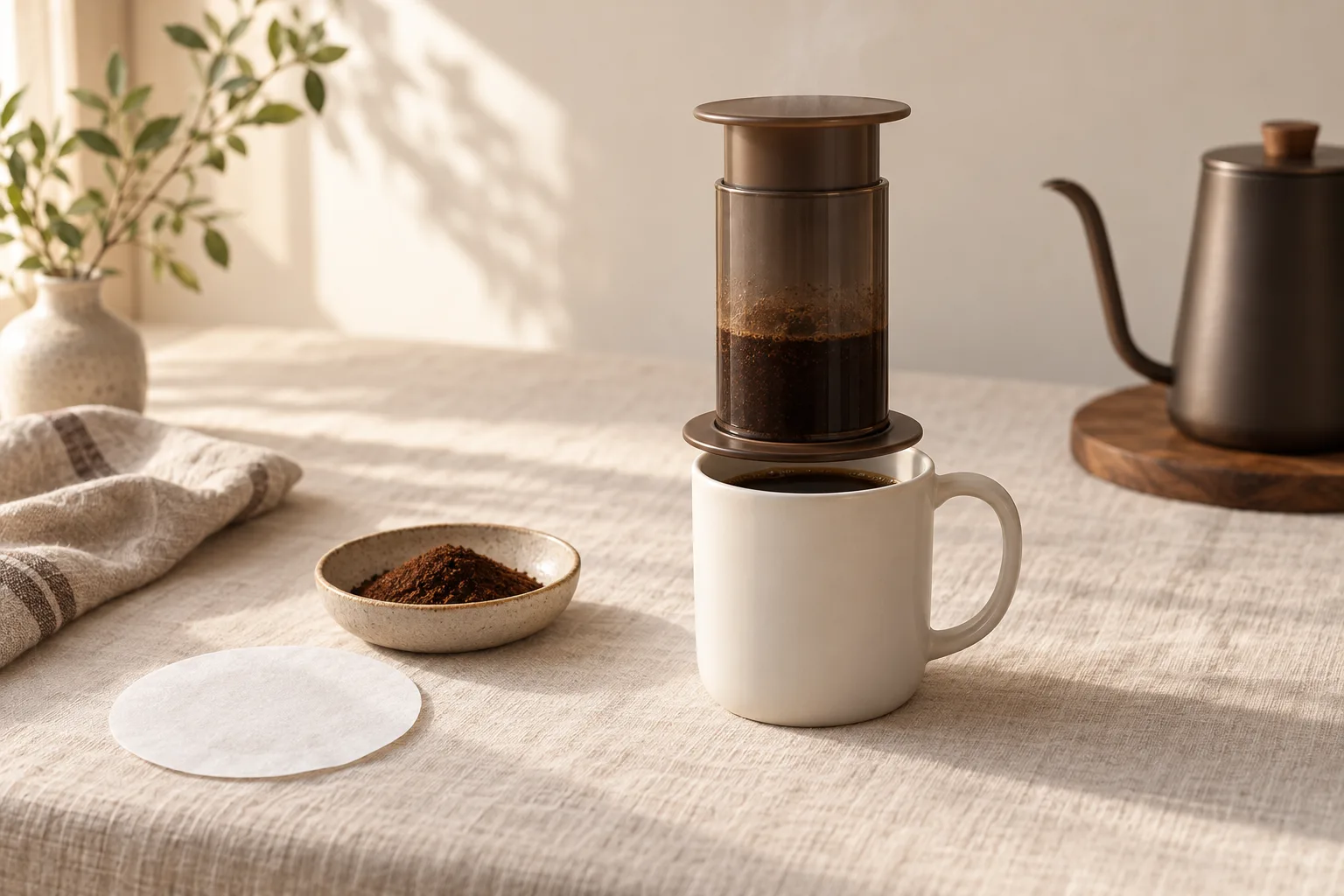
Fit a standard-size filter inside the cap, twist it securely onto your AeroPress, and brew upright. Gentle plunger pressure opens the valve when you’re ready.
Want control over steep time without flipping the brewer? This is the problem the cap solves. For other upgrade goals, see Best AeroPress Attachments (2026): 6 Worth-Buying Upgrades.
Your first no-drip brew
Fit the filter first, then let gentle pressure do the work
- Standard brewer, not XL
- Gather coffee, water and mug
- Choose standard-size filtration
- Lay the filter flat
- Twist fully into place
- Set upright on a sturdy mug
- Add coffee and hot water
- Stir to wet the grounds
- Apply steady pressure
- Cool, empty and rinse
Control steep time without flipping a brewer full of hot water.
Quick answer
Install the filter before attaching the cap, then add coffee and water with the brewer upright on a mug. According to AeroPress’s valve explanation, the valve stays closed until pressing creates pressure. You control the steep; the valve controls the exit.
That suits concentrated and bypass-style brewing, where you add water after pressing. Use Best AeroPress Bypass Recipe (2026): 5 Smart Methods for exact dilution methods.
What you’ll need
Gather a compatible standard AeroPress, the Flow Control Cap and a matching filter. AeroPress’s Help Centre lists Original, Clear, Go, Go Plus and Premium compatibility, excludes XL, and flags older pre-2014 brewers. Check that caution before using an early Original.
- Ground coffee and hot water.
- Standard paper filter or AeroPress metal filter.
- Sturdy mug, stirrer, scale and timer.
Cap weight: 0.09 lb. Material: BPA-free, phthalate-free plastic, as listed by EspressoParts.
Step-by-step: install, brew and press
Assemble the filter and cap before adding anything hot. Follow AeroPress’s cap instructions for upright brewing, then use your chosen recipe for coffee, water and timing. The cap changes when coffee leaves the chamber, not whether you need a measured recipe.
1. Check your brewer and mug
Confirm the model first. Set a sturdy mug on a level counter, and make sure the brewer sits securely across its rim. Avoid a thin glass or a mug so wide that the brewer could slip inside.
2. Lay the filter inside the cap
Seat a standard-size filter flat inside the cap before twisting it on. AeroPress allows paper, its metal filter, or both. I’d start with paper for a cleaner, less gritty cup; metal suits a fuller feel. Compare those trade-offs in Best AeroPress Filters (2026): 6 Smart Picks.
3. Tighten the cap and stand upright
Twist the cap fully into its locked position by hand. Keep the filter flat, with no folded edge caught in the join. Place the chamber cap-down on your mug before adding coffee or water.
4. Add coffee, pour and stir
Use a measured recipe rather than filling by eye. One concentrated example from Barista Magazine’s Test Drive uses paper filtration, 18 g coffee, 60 ml water and 30 seconds of stirring. That’s one recipe, not a universal dose or steep time.
5. Press gently, then clean
Insert the plunger and apply gentle, constant pressure. AeroPress’s brewing instructions say to stop at the hiss. Barista Magazine notes increased resistance with this cap, but that’s not an invitation to shove harder.
Let the brewer cool before removing the cap. Empty the grounds and filter, then rinse away residue. Follow the AeroPress Help Centre’s cleaning guidance for a deeper wash, and leave the parts to dry.
Common mistakes to avoid
Don’t treat this cap as a miniature espresso machine. AeroPress describes a pressure-operated valve, not a reason to tamp grounds or lean your weight onto the plunger. Keep your first recipe simple so you can tell whether a change actually improves the coffee.
- Changing everything: adjust grind or steep time, not both at once.
- Chasing foam: judge sweetness and strength instead.
- Over-diluting: taste concentrate before adding more water.
Troubleshooting leaks, resistance and weak coffee
First locate the problem: coffee escaping around the join needs a fit check; coffee refusing to move needs a pause, not more force. The AeroPress Help Centre is the reference for cap fit, valve behavior and care. Stop brewing if parts look damaged or won’t seat securely.
Coffee leaks around the cap
Let everything cool, then remove the cap. Clear grounds from the joining surfaces, reseat the correct-size filter and lock the cap fully. Persistent drip-through before pressing calls for cleaning and a check with AeroPress.
The plunger barely moves
Stop pushing. Once cool, check for residue or a misplaced filter. For the next brew, try a slightly coarser grind rather than forcing this one through.
The cup tastes watery
Measure coffee, brewing water and added water separately next time. Reduce dilution first if the concentrate tastes good; if it already tastes weak, change the recipe rather than pressing harder.
Frequently asked questions
Does the Flow Control Cap need a paper filter?
It needs a filter, but not necessarily paper. AeroPress specifies standard paper, its standard metal filter, or both together. The valve controls when coffee flows; it does not replace filtration. Start with paper if you want simple cleanup.
Does the standard cap fit the AeroPress XL?
No. AeroPress lists the standard cap for Original, Clear, Go, Go Plus and Premium, not XL. Use the matching XL accessory for that brewer. For an Original made before 2014, check the manufacturer’s compatibility caution before buying.
Should I brew inverted with the Flow Control Cap?
Use it upright. The pressure-actuated valve holds the brew until you press, so you do not need to flip a chamber of hot coffee. AeroPress’s cap instructions use the upright workflow, with the brewer resting on a sturdy mug.
Does the Flow Control Cap make real espresso?
No, it makes espresso-style concentrate rather than traditional espresso. A short, strong brew can work as a base for milk drinks or dilution. Do not judge success by foam alone, and do not press harder to chase espresso-machine results.