 Coffee Gear Picks
Cold Brew Coffee Maker Not Draining (2026): 7 Fixes
A cold brew coffee maker not draining usually points to fine grounds, a dirty filter, or a release part that needs reseating. Check those before replacing it, and never force coffee through by pressing the grounds.
Find the restriction before replacing the brewer
Check assembly, then clean, then check flow
- Find your brewer format
- Check the release instructions
- Empty before disassembly
- Rinse filter and permitted parts
- Reassemble carefully
- Check with plain water
Separate a clogged filter from a release or seal problem.
Should you repair or replace it?
Clean and reseat intact parts before buying another brewer. Replace a damaged filter or seal with the correct part when available; replace the brewer if safe repairs are unavailable. Slow drainage alone does not prove the whole machine is ruined, especially when plain water still flows through it.
Want a different routine? Best Cold Brew Coffee Maker (2026): 7 Smart Picks compares immersion, pitcher, and slow-drip formats by capacity, cleanup, and workflow.
What you'll need
Keep the brewer manual nearby so you can check which parts detach and how they go back. Work on a stable counter with room for spills. You do not need to buy a special cleaner unless your model calls for one; start with the supplies below.
- A stable receiving container and clean towel.
- Clean water and a soft brush, if permitted.
- Only the cleaner and replacement filters your manual allows.
Seven fixes for a stalled batch
Start with format and assembly checks while the brewer is intact. If these do not restore flow, empty it safely before removing filters or seals. Finish with a plain-water check so you can separate a coffee blockage from a faulty release part without risking another batch.
1. Identify your brewer format
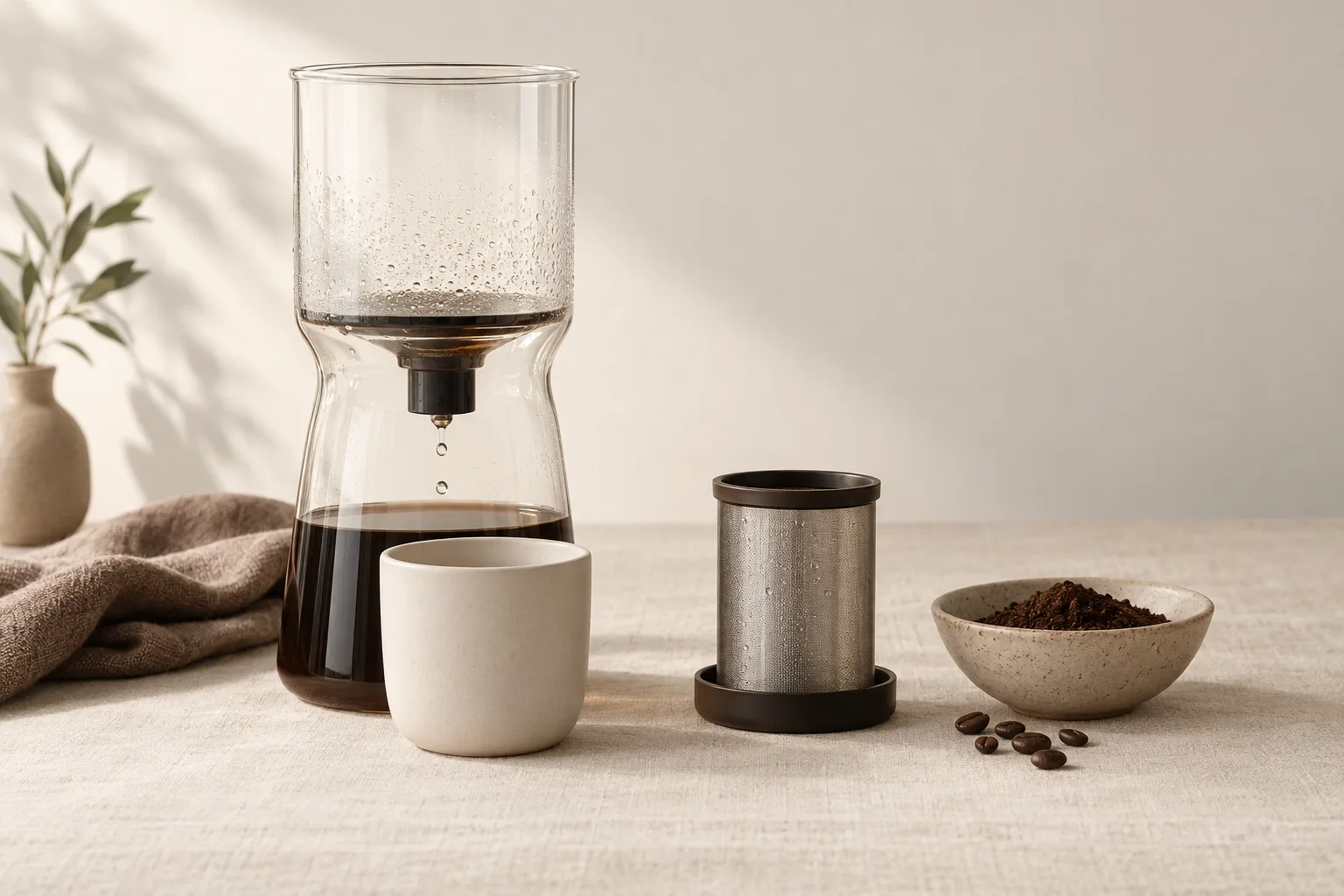
Check whether coffee should drain at all. Drain-through immersion brewers release after steeping; pitcher designs usually let you remove the grounds basket and pour. Slow-drip towers feed water through coffee during brewing, so check the upper water feed separately from the lower coffee outlet.
2. Check the release and filter assembly
Follow OXO’s official setup guidance for your exact model. Check filter seating and cap assembly. The full-size OXO uses a brew-release switch; the Compact initiates drainage when placed on its carafe. Do not apply the Compact procedure to a switch-operated brewer.
3. Leave the coffee bed alone
Stop stirring, shaking, or pressing. A practical warning in the named Home-Barista discussion “OXO Cold Brew Woes” is to avoid excessive agitation that may block the filter. Treat that forum advice as anecdotal, not controlled evidence or a guaranteed explanation for your brewer.
4. Empty and clean the filter
Transfer liquid safely if the manual permits, then discard grounds and detach the filter. Keg Outlet’s drainage guide identifies dirty filter plates and fine grinds as causes. Rinse and clean as instructed; follow model-specific rules for soaking, paper filters, chemicals, and dishwashers.
5. Clean and reseat the drain seal
Remove a seal only if the manual allows it. KitchenAid Product Help stresses cleaning and correctly reinstalling the drain seal. Use that principle, not KitchenAid’s assembly sequence, on other brands. Do not pry at sealed mechanisms or stretch a gasket to make it fit.
6. Reduce fine particles next batch
Use your brewer’s recommended coarse grind and dose without packing it down. Fines are the powdery bits mixed among larger crumbs. For researched options aimed at more consistent coarse grounds and fewer clogging fines, see Best Coffee Grinder for French Press (2026): 7 Top Picks.
7. Check flow with plain water
Reassemble, add water as the manual permits, and operate the release normally. Water flowing but coffee stalling points toward the grounds or filter load. Water also refusing to drain after cleaning points toward assembly or a defective mechanism. Contact the maker rather than forcing it.
What not to do
Do not confuse steeping time with draining time. The OXO product listing gives a 12–24-hour brew window, not a universal drainage deadline. Small particles can slow release. Avoid rushing a stalled batch with these shortcuts:
- No sharp tools: do not poke holes through mesh.
- No extra paper layers: use only the filter arrangement your manual specifies.
- No hard squeezing: do not press a basket to force liquid out.
Match the symptom to the next action
No flow calls for a release-position check; a trickle calls for patience and a filter check after emptying. Leaks need a different response: stop and inspect the seating and seals. On a tower, locate where flow stops before adjusting anything, since the upper feed and lower outlet serve different jobs.
Frequently asked questions
Why is my cold brew draining so slowly?
Fine coffee particles or a dirty filter are likely restrictions, as Keg Outlet explains in its drainage guide. Leave the grounds undisturbed first. If flow stops, empty the brewer safely, clean the filter according to its manual, and check flow with plain water.
Why will my OXO cold brew maker not release coffee?
A release part may be incorrectly positioned, or the filter may be clogged. Identify your OXO model first: the full-size brewer uses a switch, while the Compact starts draining on its carafe. Follow the matching OXO setup guide rather than forcing the mechanism.
Can I stir the grounds to unclog cold brew?
A packed layer of fine particles may be causing the blockage, so stirring is not a reliable rescue. It can move more particles toward the filter. Avoid pressing or digging into the grounds; empty and clean the brewer if the recommended release procedure does not restore flow.
Why is coffee leaking around the filter or drain?
A poorly seated filter, misplaced seal, or damaged part may let coffee escape the intended path. Stop draining and empty the brewer before inspecting it. Reinstall parts using the manual, then check with water. Stop using cracked glass, torn mesh, or a persistently leaking assembly.